

Code References lets you see exactly where feature flags are used in your codebase. A CLI tool scans your repository and sends the results to GrowthBook, which then surfaces this information on each feature’s page. This helps you find the exact lines of code that reference a flag — useful when cleaning up stale flags or understanding a flag’s scope.Documentation Index
Fetch the complete documentation index at: https://growthbook-preview.mintlify.app/llms.txt
Use this file to discover all available pages before exploring further.
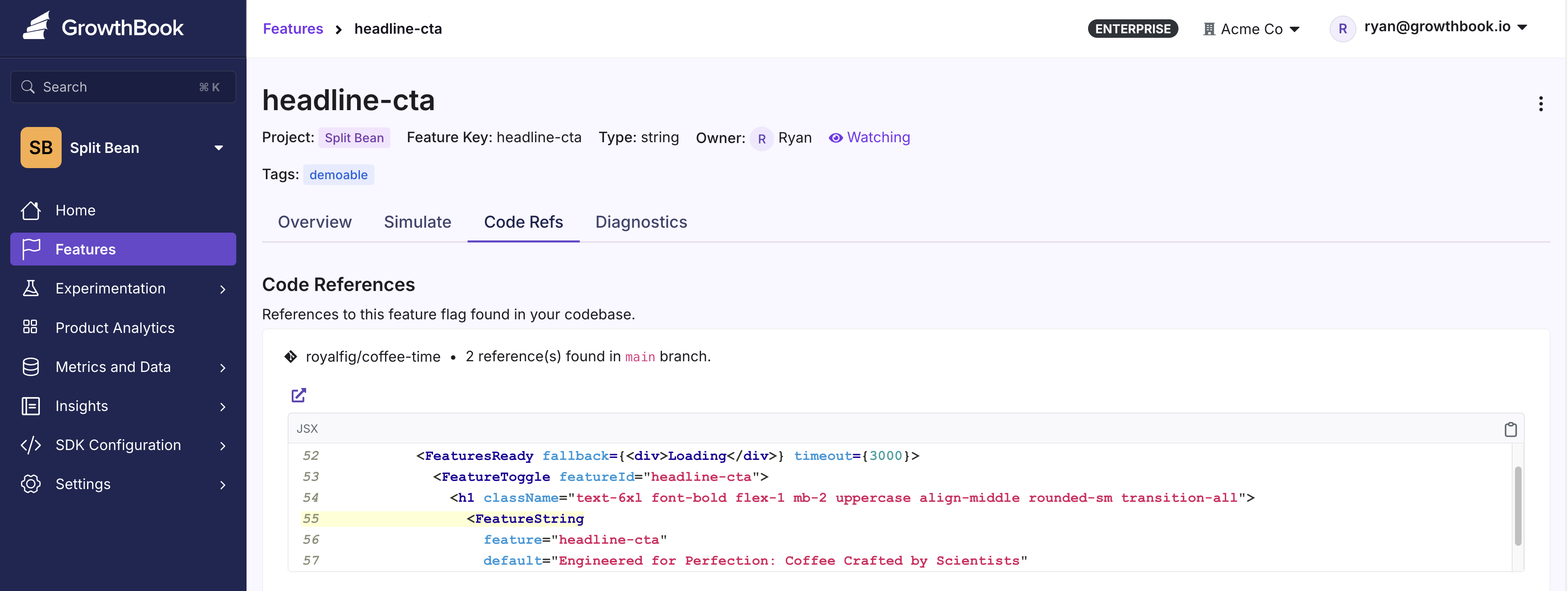
Code References also improves Stale Feature Detection accuracy by providing concrete evidence of whether a flag is still referenced in code.
Getting Started
For GitHub users, a streamlined GitHub Action integrates with code references: For other platforms, use the CLI tool or Docker image:Enabling Code References in GrowthBook
To enable code references, navigate to your General Settings page and scroll to Configure Code References.Branch Filtering
Specify which branch names (comma-separated) to show code references for. By default, code references from all branches are displayed. For example, if your team only needs references frommain and qa, set this option to main, qa.