

Want to A/B test your content without changing code for every experiment? This tutorial shows you how to integrate Strapi with GrowthBook, enabling you to feature flag and A/B test your content directly from your CMS. In this tutorial, you’ll learn how to:Documentation Index
Fetch the complete documentation index at: https://growthbook-preview.mintlify.app/llms.txt
Use this file to discover all available pages before exploring further.
- Set up content in Strapi for feature flagging and A/B testing
- Create feature flags and experiments in GrowthBook
- Configure a Next.js frontend with Strapi and GrowthBook to dynamically serve content
Prerequisites
Before starting, ensure you have:- A Strapi project
- A GrowthBook account
- A Next.js project with basic Strapi and GrowthBook integrations set up
- See Strapi’s guide and example for integrating Strapi with Next.js.
- See our guide and example for integrating GrowthBook with Next.js.
Create Content in Strapi
This integration is flexible enough that we can use nearly any Strapi content with feature flags or A/B tests. The only requirement is to return an array of objects (like components). For this tutorial, we’ll create a Product collection with a Dynamic Zone field that holds Product Card components. Dynamic Zones let us create multiple variations of content within a single collection—perfect for A/B testing different versions. On our frontend, we’ll show 3 shoe product cards and use GrowthBook to A/B test which shoe is displayed in the third spot.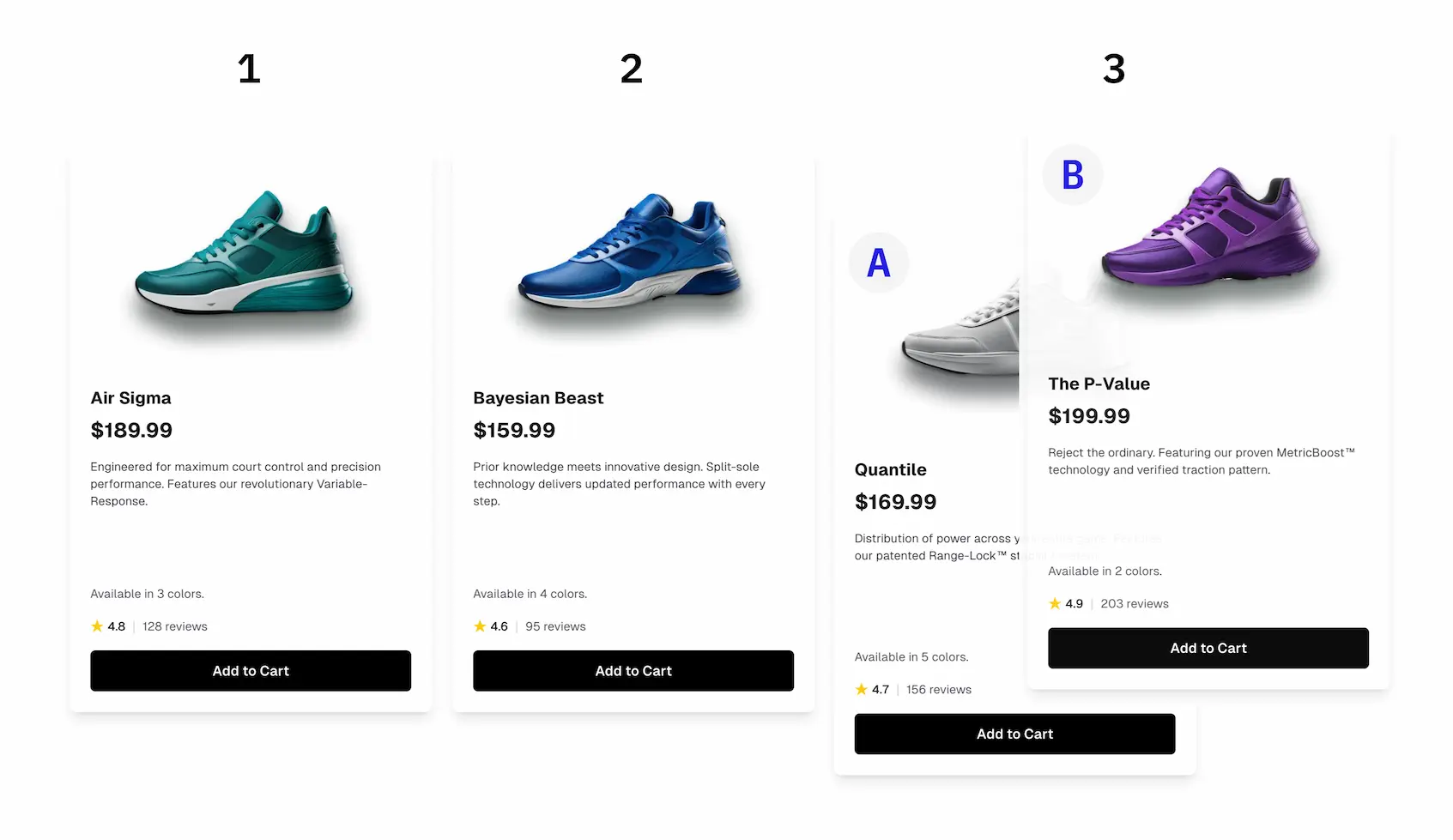
Product Card Component
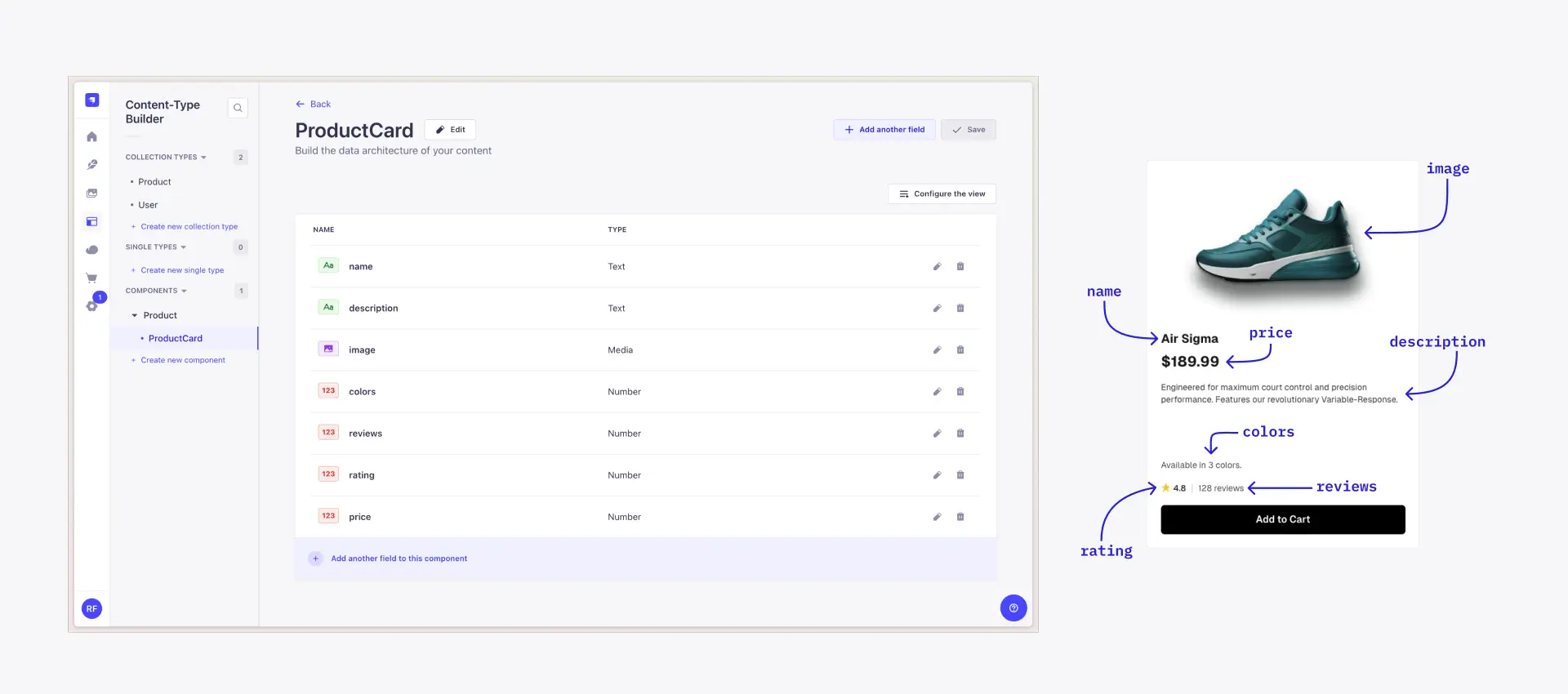
First, let’s create a Product Card component for the Dynamic Zone. In the Content-Type Builder, go to Components and create a new component calledproductCard. The fields for this component are up to you, but here’s an example:
- name
- description
- image
- colors
- reviews
- rating
- price
productCard component in Strapi and how it’s rendered in the frontend.
Product Collection
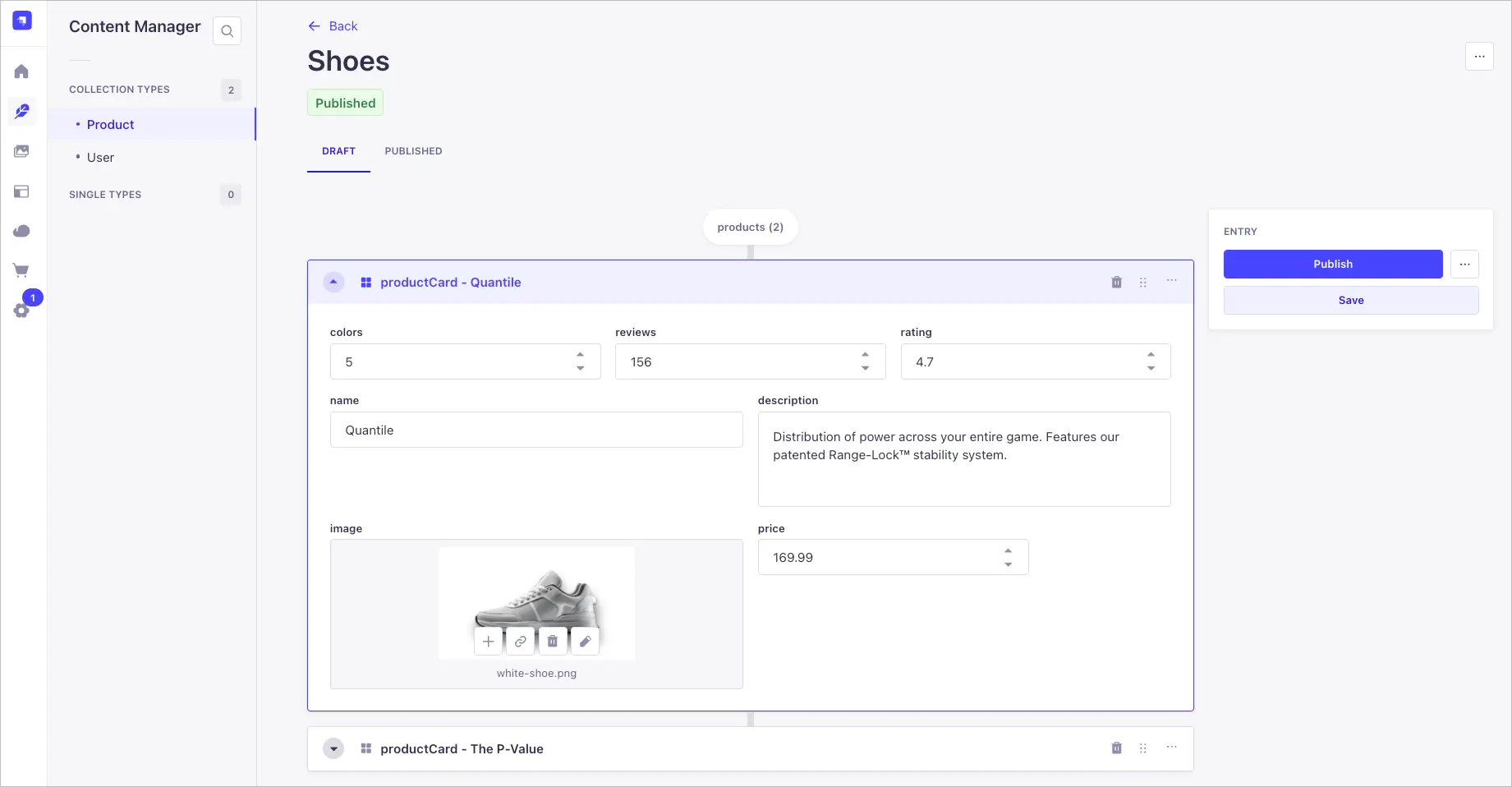
Next, create a new collection called Product. Add a Dynamic Zone field calledproducts that uses the productCard component.
We’ll create a Shoes product collection with 2 productCard components that we’ll test against each other:
- Control: Quantile running shoe
- Variation: P-Value training shoe
Create Feature Flags and A/B Tests in GrowthBook
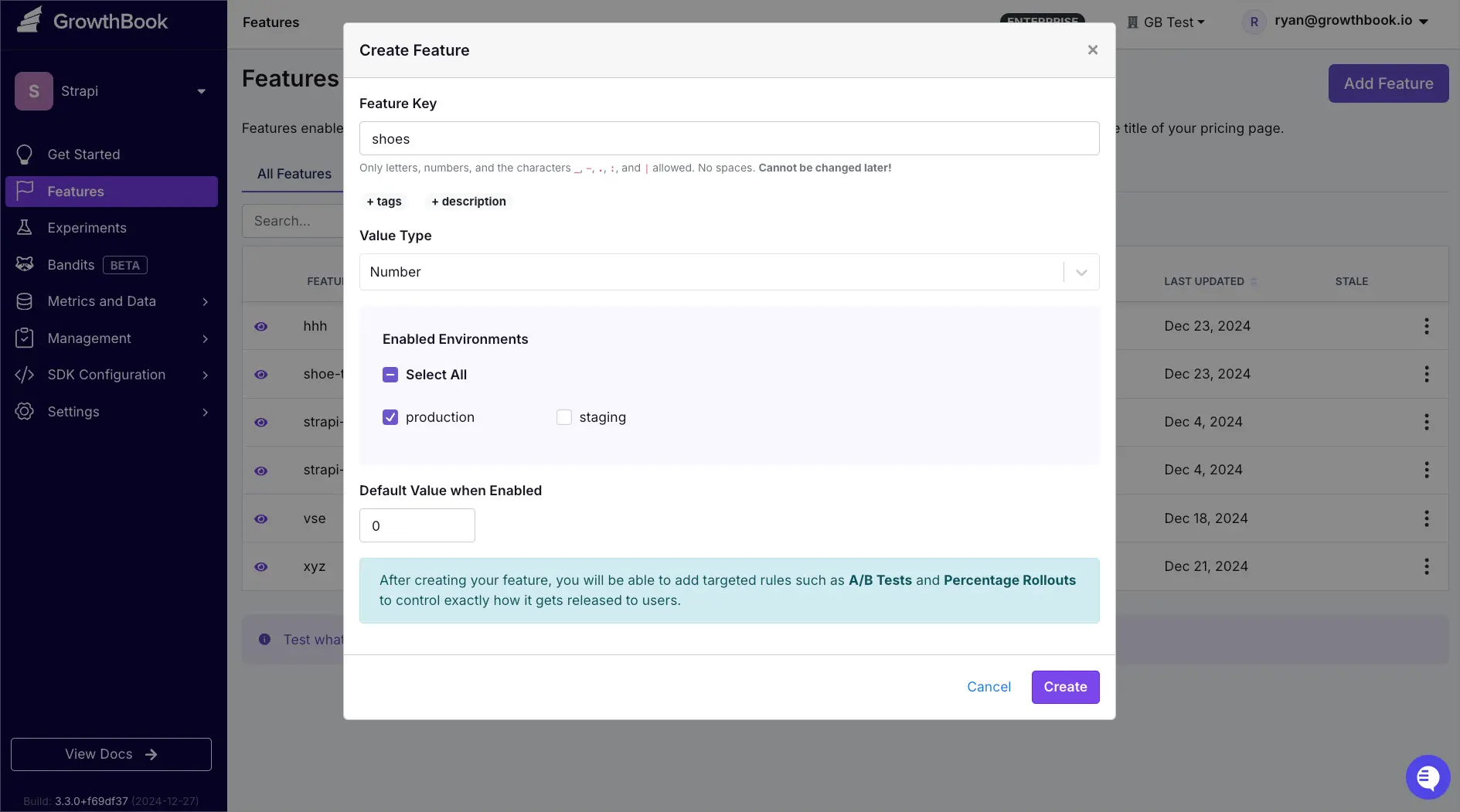
The next step is to create a feature flag in GrowthBook. With feature flags, we can toggle content on and off, implement advanced targeting, and use the flags to run A/B tests. In this example, we’ll set up a feature flag for the Product collection we just created in Strapi.- Go to Features and click Add Feature.
- Add
shoesas the Feature Key. (This key is used to reference the feature flag in your frontend.) - Select Number as the value type. Set the Default Value to
0. - Click Create.
Create the A/B Test
The feature flag we created in the previous step allows us to easily create an A/B test.- Go to the shoes feature flag.
- Scroll down to Rules and click Add Rule.
- Select Experiment and click Next.
- Add an experiment name, which can be whatever you want. Other fields are optional.
- Click Next.
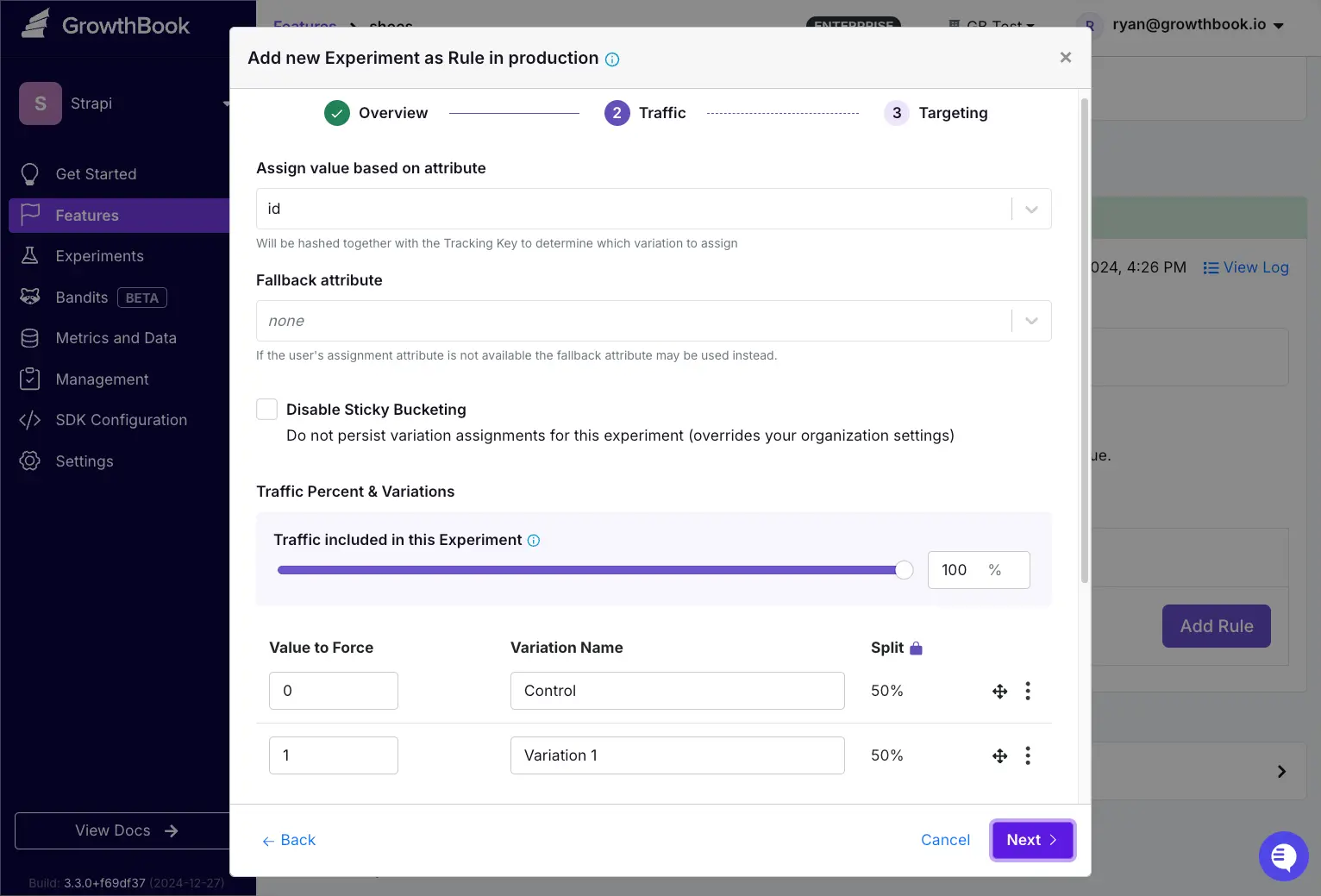
The value of the feature flag directly maps to the object’s zero-based index in your Dynamic Zone. For example, if the feature flag value is
0, then the first productCard is served. If the value is 1, then the second variation is served and so on.Integrate Strapi and GrowthBook in Next.js
So far, we’ve set up Strapi and GrowthBook separately. Now, it’s time to bring them together in our Next.js frontend. Make sure you’ve already configured your Next.js app to fetch content from Strapi and integrated with GrowthBook (see the guides for each integration above). This section walks through how to dynamically serve content based on the A/B experiment created in GrowthBook.Create a Helper Function
This helper function takes in your Strapi content and returns the correct variation based on GrowthBook’s feature flag value, which, in our case, is the result of the A/B test. If the feature flag is toggled off, the function returnsnull.
The function takes in 3 parameters:
gb: Your GrowthBook instance (created as part of your GrowthBook integration into Next.js).variations: The content variations fetched from Strapi.featureFlagKey: The feature flag key from GrowthBook that we created above.
Update page.tsx
The last part of the process is to update a component to use the variation returned by thegetVariationHelper.
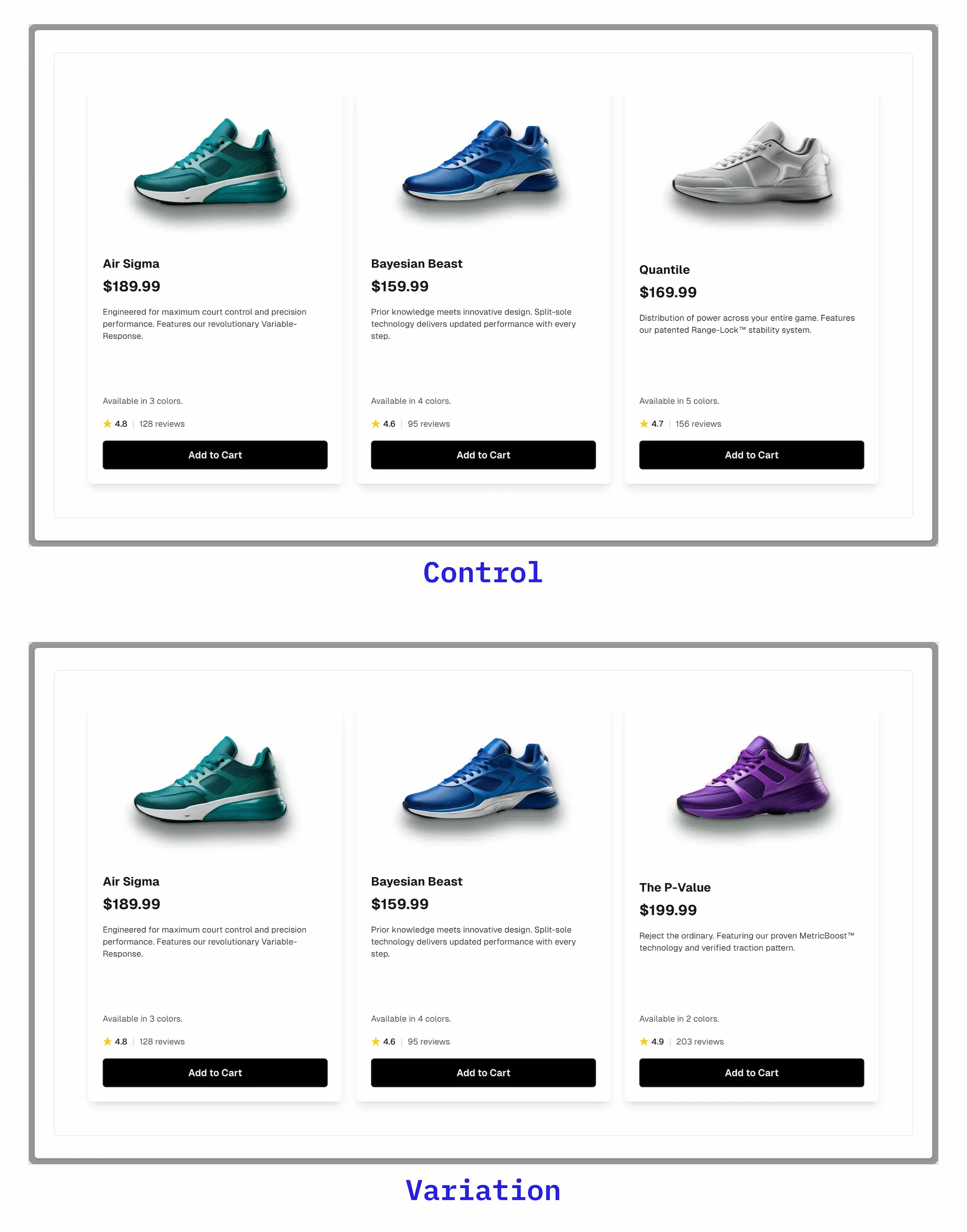
To measure the success of your experiments, make sure to track relevant metrics (like clicks or conversions) using your analytics platform. See our guide on setting up analytics with GrowthBook.
Summary
In this tutorial, you built a complete A/B testing system that combines the power of Strapi’s content management with GrowthBook’s experimentation capabilities 🎉 Here’s a recap of what you learned:- Structure content in Strapi for A/B testing using Dynamic Zones
- Create and configure feature flags in GrowthBook
- Build a helper function to dynamically serve content variations
- Integrate everything in a Next.js frontend
Next Steps
Ready to take your experimentation system further? Here are some ways to build upon what you learned:- Integrate with analytics platforms like Google Analytics or Segment.
- Set up advanced targeting for your experiments and feature flags.
Resources
- Strapi Documentation
- GrowthBook Documentation
- Next.js Documentation
- GrowthBook Next.js Examples
- LaunchPad: Strapi Next.js Integration Example
Troubleshooting
-
Content not updating in frontend
- Check if content is published in Strapi
- Verify the Dynamic Zone array indices match your feature flag values
- Clear your browser cache and reload
-
Feature flag not working
- Ensure the feature flag key matches exactly (e.g., “shoes”)
- Check if the experiment is running in GrowthBook
- Verify your GrowthBook SDK connection
-
Helper function returning null
- Confirm variations array is not empty
- Check if feature flag is enabled in GrowthBook
- Log the feature flag value to verify it’s working